

Plans and credits
The plans, how credits work and what happens when they run out.
A plan belongs to a workspace and is billed monthly. Prices are in euros. The current prices are always on lilylabs.io/pricing.
Plans
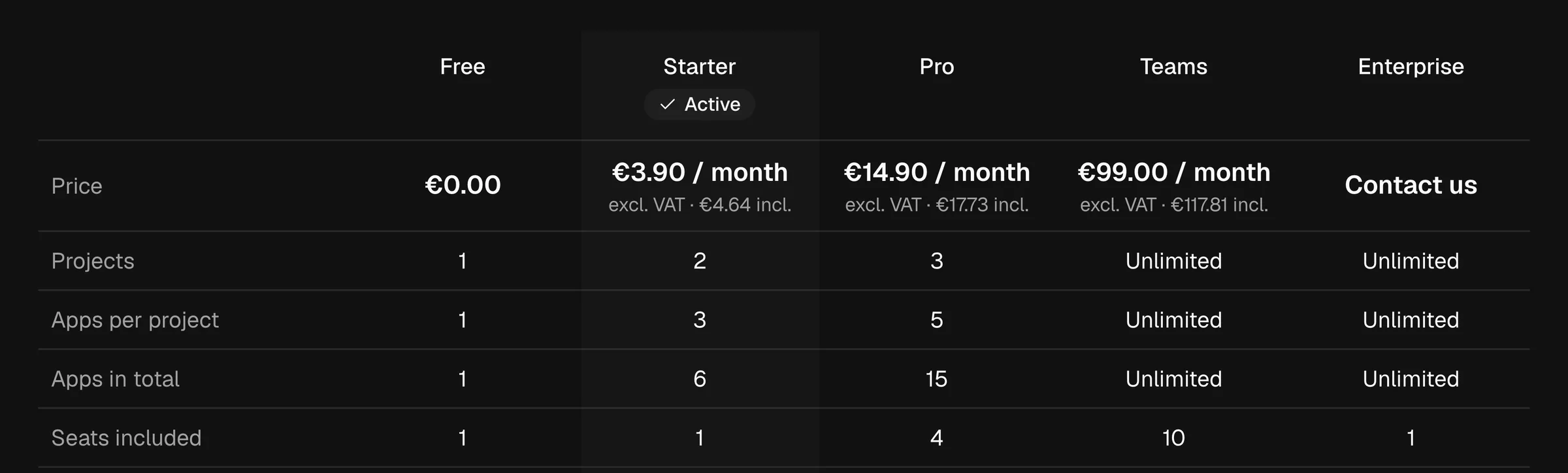
| Plan | Price | For |
|---|---|---|
| Free | €0 | One app to build on. No card, pauses at the limit. |
| Starter | €3.90 per month | One builder with a few apps. Top up credits when you run more. |
| Pro | €14.90 per month | Small teams shipping several apps from several repos. |
| Teams | €99 per month | Teams that need roles, priority support and room to grow. |
| Enterprise | Contract | See lilylabs.io/enterprise. |
Every account starts with a personal workspace on the Free plan. Additional workspaces require a paid plan.
Credits
Usage is paid in credits. 1 credit is €1.
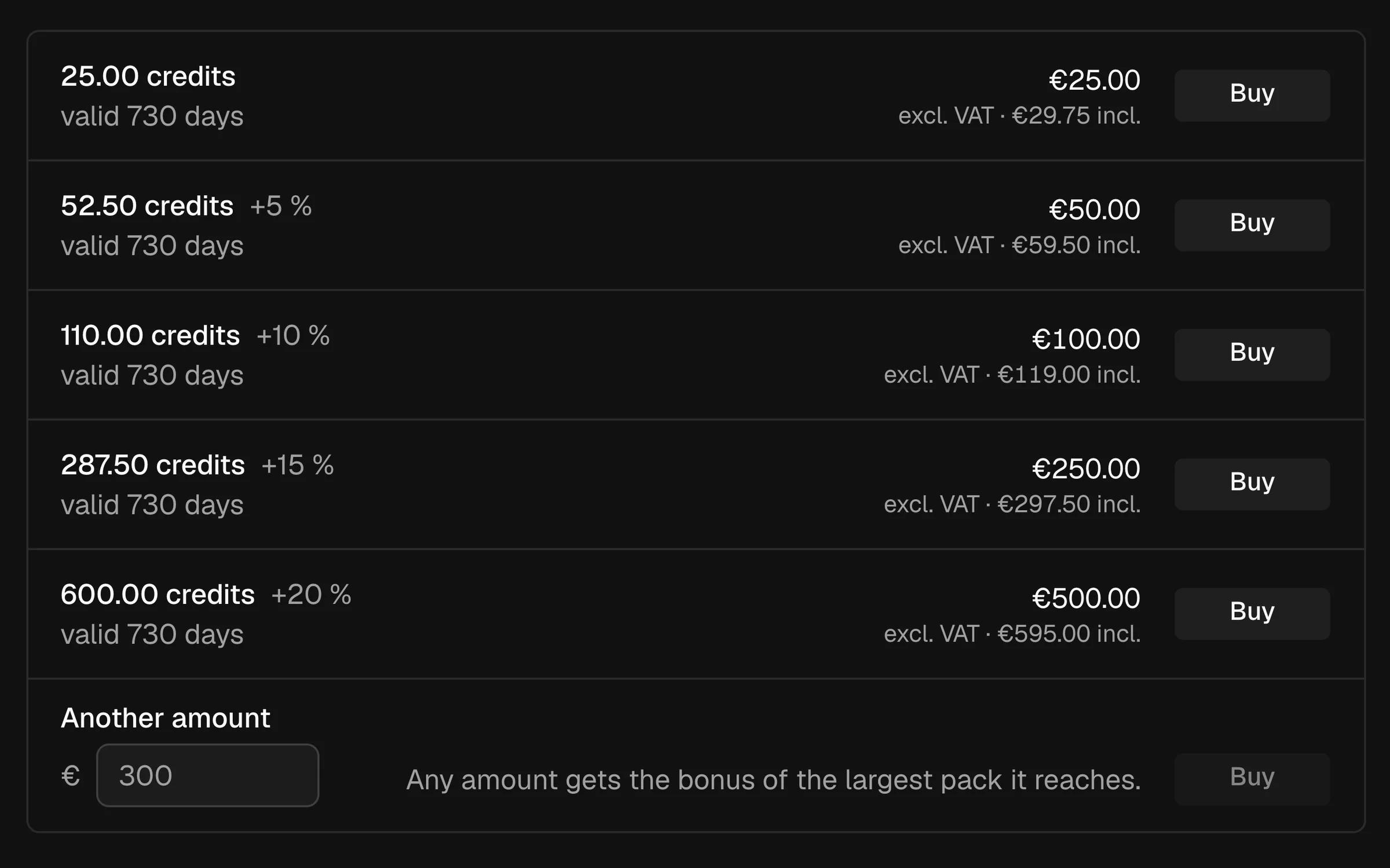
- Credit packs add credits once. They are available on paid plans, from €25 to €500, with a bonus of up to 20% on larger packs. Pack credits expire 24 months after purchase.
- Usage-based billing keeps apps running after the credits are used up, up to a spending limit you set. It requires a plan that allows extra credits.
When credits run out
A hold stops the apps of a workspace when its credits are used up, a payment fails or the spending limit is reached. On the Free plan, apps pause at the limit.
Apps start again on their own once the cause is resolved:
| Cause | Apps start again when |
|---|---|
| Credits used up | The subscription renews, you buy credits or you turn on usage-based billing |
| Spending limit reached | The subscription renews, you buy credits or you raise the limit |
| Payment failed | The payment method is updated and the payment goes through |
The spending limit has two levels. The soft limit sends a warning. The hard limit stops your apps.
What each notice in the console means and how to resolve it: My apps are stopped.
Manage billing
Owners and admins manage billing under Settings > Billing in the console. Open the user menu at the bottom of the sidebar, select Settings and then Billing under Workspace.
Your plan
Plan shows the current plan, its price without and with VAT, what it includes and the day it renews.
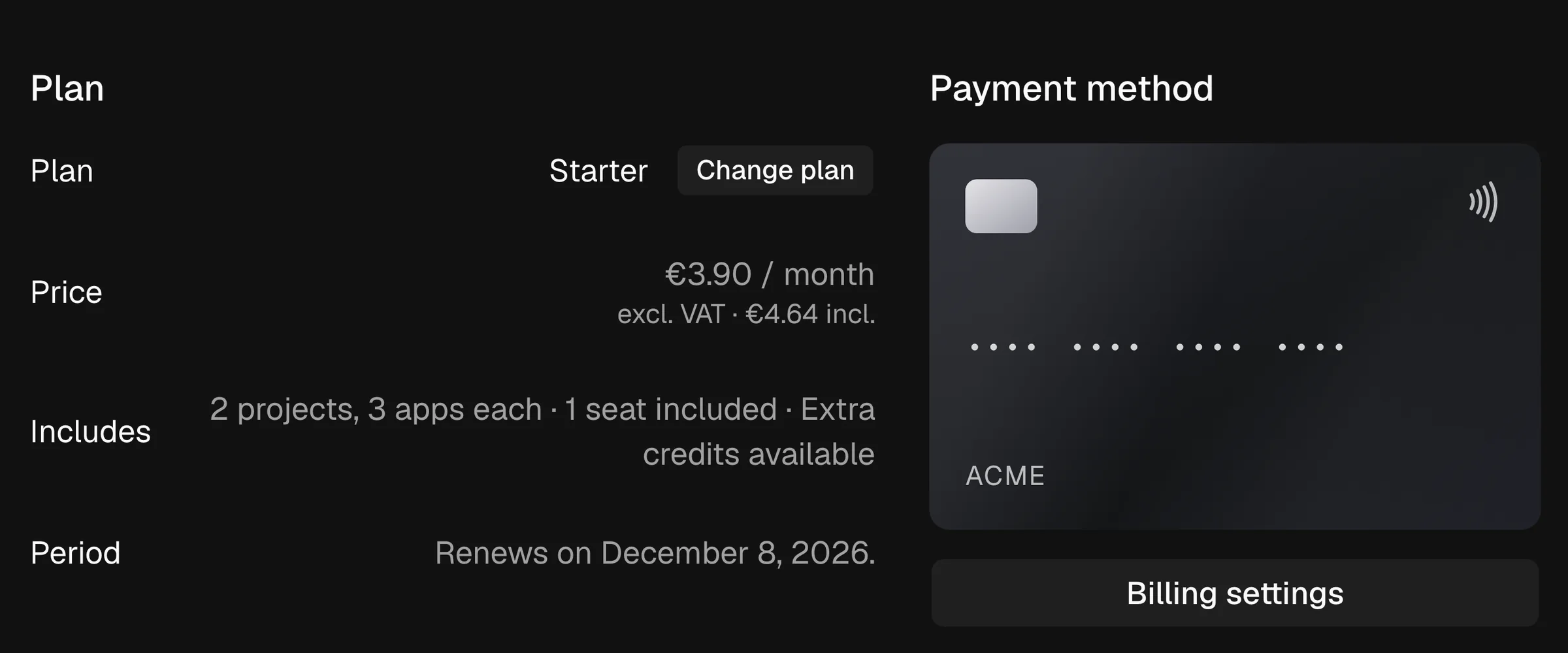
Select Change plan to compare the plans and switch. The current plan is marked Active.
Credit packs
Credit packs lists the packs you can buy. Each pack shows its credits, the bonus and how long the credits are valid. Another amount takes any amount and gives it the bonus of the largest pack it reaches.
Usage-based billing and spending limits
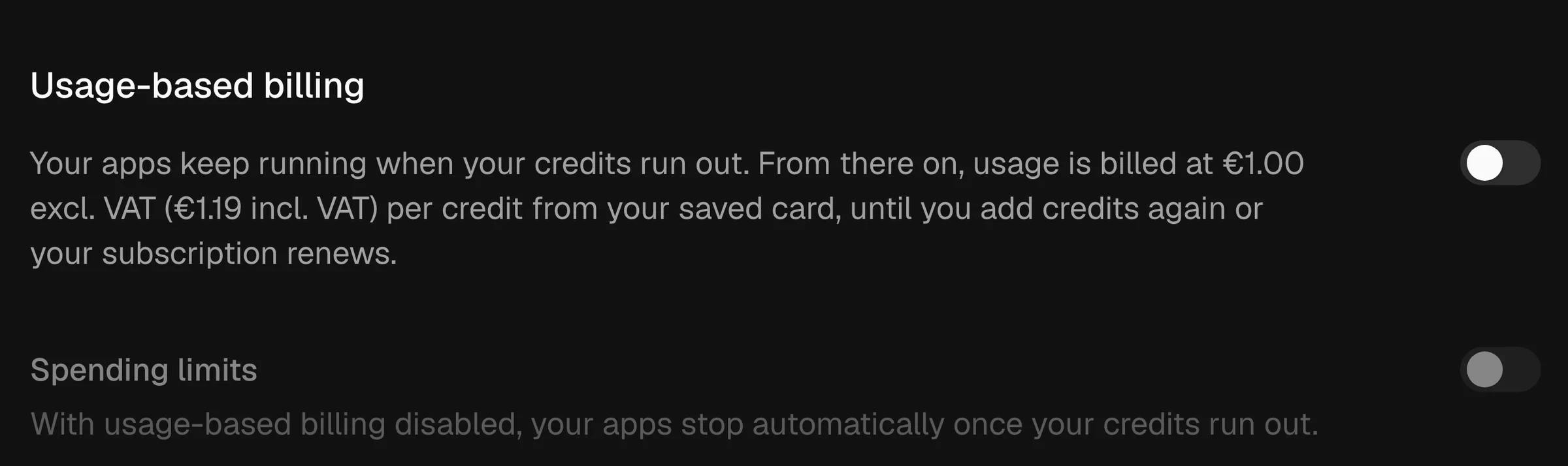
With Usage-based billing on, your apps keep running when your credits run out, and the usage beyond them is billed to your saved card. With it off, your apps stop once the credits run out.
Purchase history
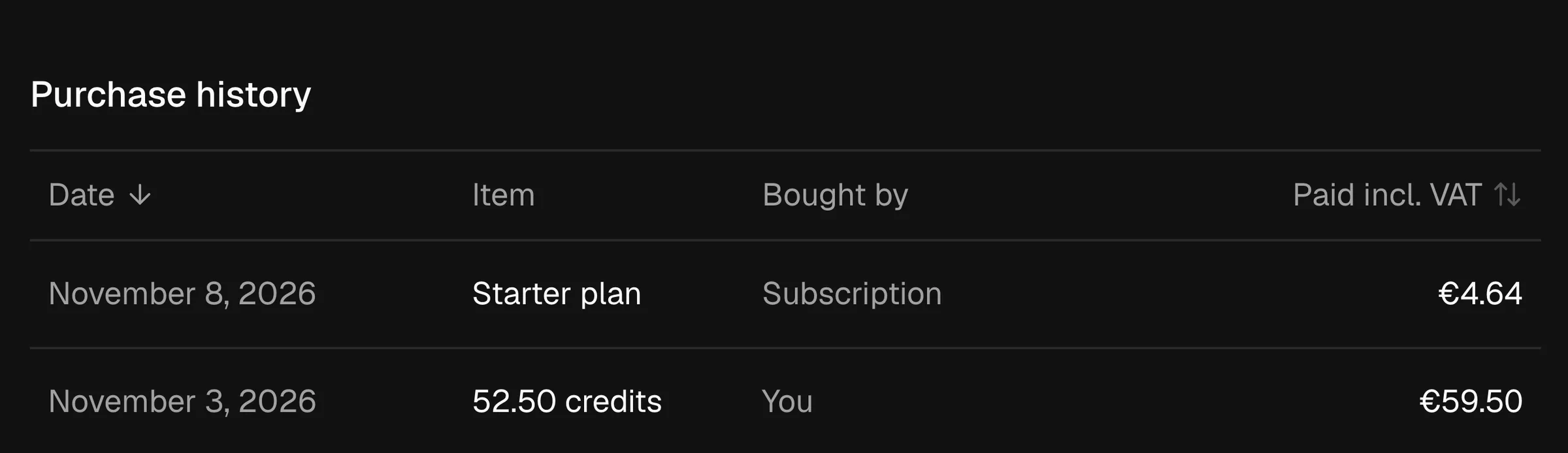
Purchase history at the bottom of the tab lists every plan payment and credit pack with its date, who bought it and the amount paid including VAT.
What the workspace used, and what the next invoice will be, is under Settings > Usage. See Understand your usage.