

Understand your usage
How to read the Usage tab, from what each app used to what the next invoice will be.
The Usage tab shows what a workspace has used in the current period and what the next invoice will be. This guide explains each part of it. Plans and credits explains plans, credit packs and what happens when credits run out.
Before you start
- A workspace with at least one deployed app.
- The owner or admin role in that workspace.
Open the Usage tab
Open the user menu at the bottom of the sidebar, select Settings and then Usage under Workspace.
This period
The top of the tab shows the current billing period and how many days are left.
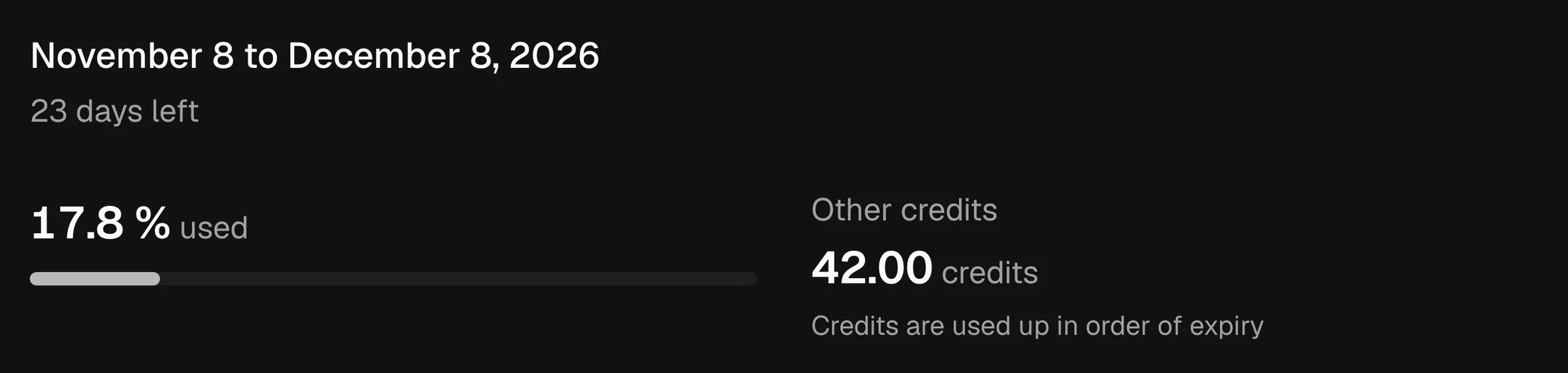
- Used is the share of your plan's allowance that the workspace has used in this period.
- Other credits are credits that do not come from the plan, for example from a credit pack. Credits are used up in order of expiry.
Spend
Spend shows usage over the last 7 days, 30 days or year. The chart stacks your apps, so you see which app used how much and when.
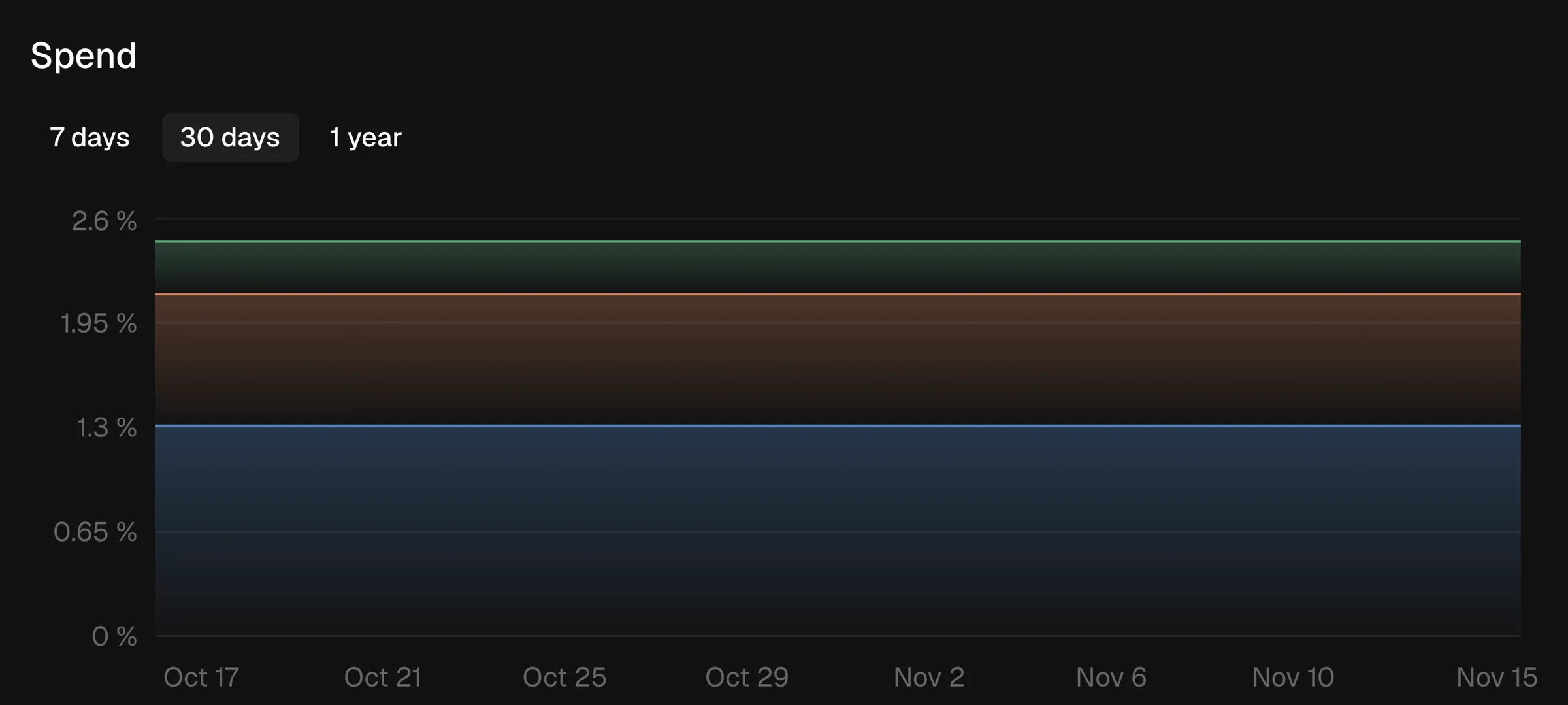
The table under the chart lists each app with its share of the allowance. Select an app to see what the share is made of:
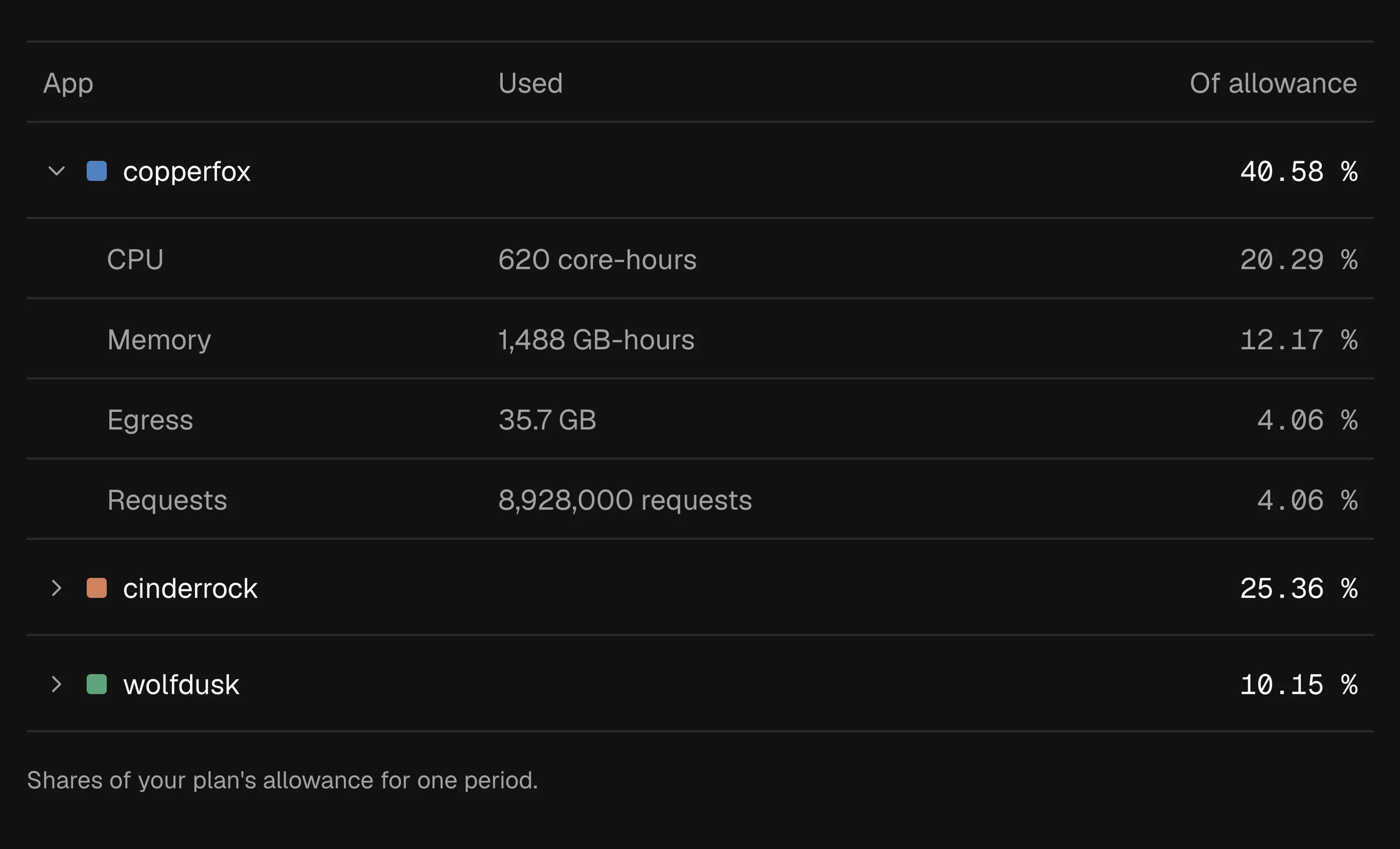
| Resource | Measured in |
|---|---|
| CPU | Core-hours |
| Memory | GB-hours |
| Egress | GB |
| Requests | Number of requests |
Shares are shares of the allowance for one period. A range that is longer than the current period can therefore add up to more than the Used value at the top.
Projection
Projection takes your average daily usage over the past month and draws how the allowance goes down from now until the renewal. You can look 7, 30 or 90 days ahead. The solid line is what has happened, the dashed line is the projection. Now and Renewal mark today and the day the allowance is filled up again.
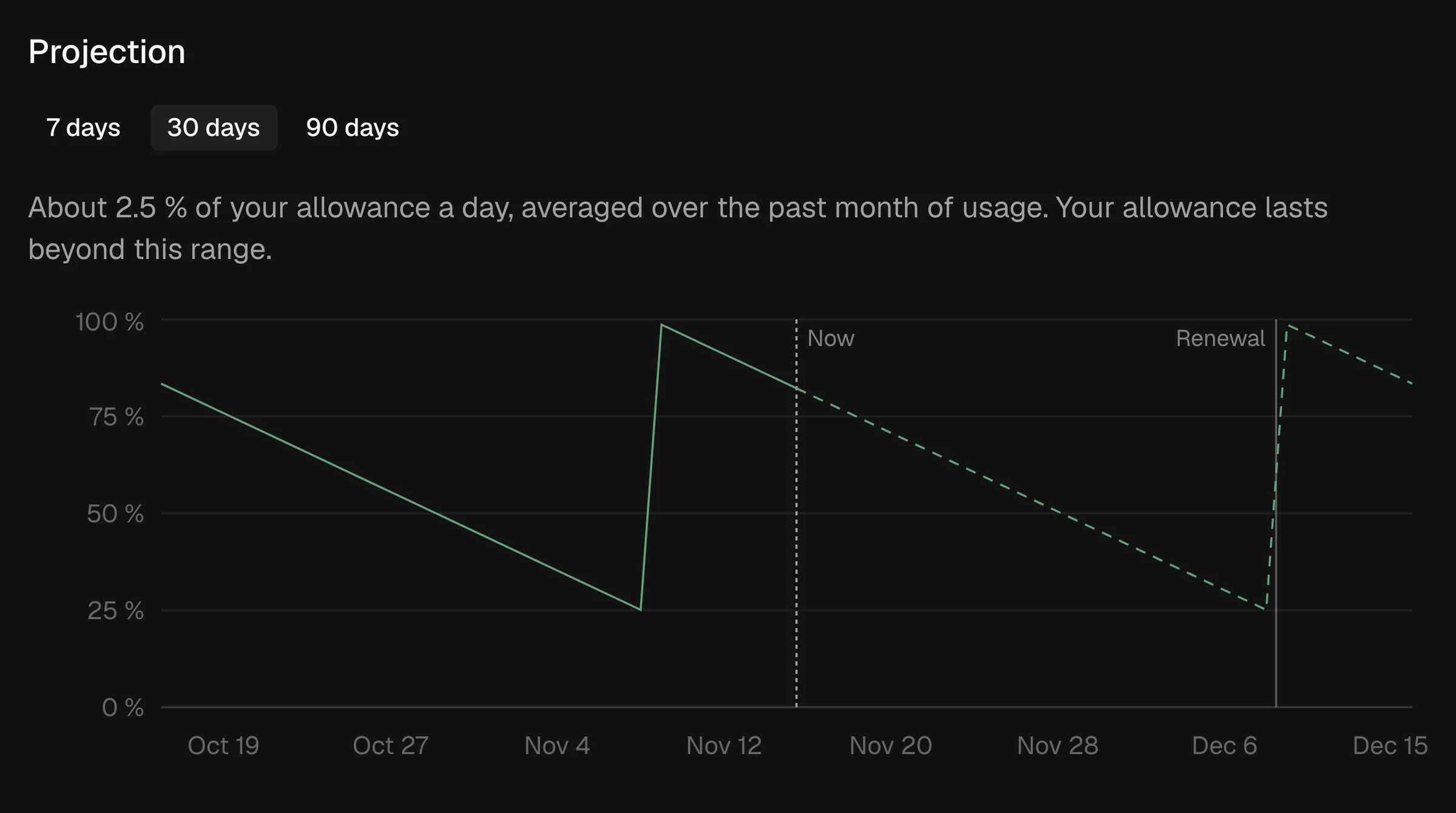
The text above the chart tells you the result:
- Your allowance lasts beyond this range. Nothing to do.
- Your allowance runs out around a date. Your apps stop then, unless usage-based billing is on. With usage-based billing on, usage beyond the allowance is billed.
To act on it, buy a credit pack, turn on usage-based billing or change the plan under Settings > Billing.
Estimated invoice
Under the projection, Estimated invoice shows what the invoice for the current period will be, without and with VAT:
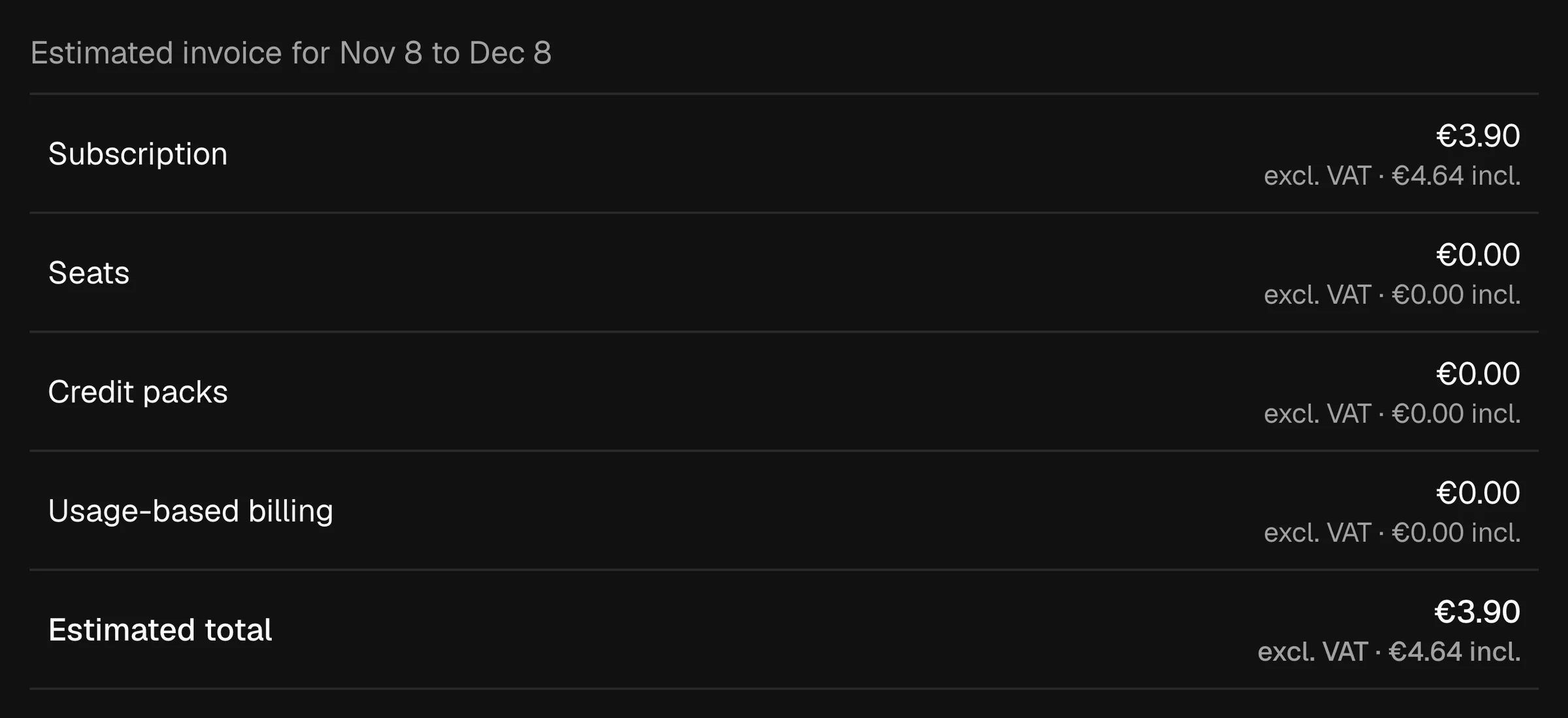
| Line | What it is |
|---|---|
| Subscription | The price of your plan for the period |
| Seats | Seats beyond the ones your plan includes |
| Credit packs | Credit packs bought in the period |
| Usage-based billing | Usage beyond your credits, if usage-based billing is on |
| Estimated total | The sum of the lines above |
It is an estimate. The final amounts are in Purchase history under Settings > Billing.