

The build failed (exit code 7)
lly deploy or lly redeploy exits with code 7, or the app shows Failed with a reason that starts with fetch or build.
The source was not fetched or did not build, so nothing new went live. The previous deployment of the app keeps running.
What you see
✗ copperfox failed 2m10s build apps/web: …lly exits with code 7 and adds:
`lly attach --build copperfox` shows whyIn the console, the app shows Failed, and its action bar shows the error next to a Try again button:

Other forms of the same failure are redeploy failed: …, the source step failed and the analysis failed.
Why it happens
The reason starts with the stage that failed:
| Reason starts with | What failed | Where to look |
|---|---|---|
fetch: | LILY could not download the source, for example because the branch does not exist or GitHub is not connected | The branch name and the GitHub connection |
build <root>: | The build of that app failed | The build log |
The build runs from what is on GitHub, not from your local files. A file that exists only on your machine is not part of the build.
Fix it
- Read the build log and find the first error.
- Fix the cause in your code and push the commit.
- Deploy again.
Open the app, select the Log tab and switch to Build. The failing lines are marked.
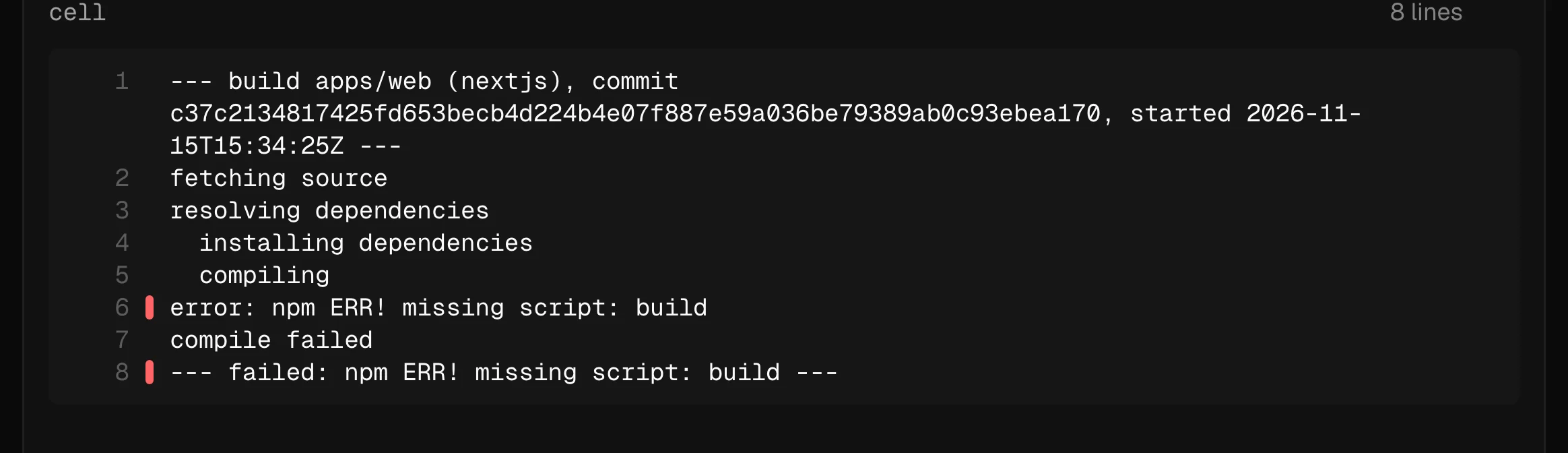
After pushing the fix, select Redeploy in the action bar. Try again builds the same commit again, which only helps if the failure was temporary.
lly attach copperfox --build
lly redeploy copperfox
Use an agent
My LILY app "copperfox" failed to deploy. Run `lly attach copperfox --build`,
find the first error in the build log and suggest a fix. Do not change code without asking me.
If it is still not working
Send a report through Feedback & Reports in the console sidebar. Include the full message, the project and app name, and the time it happened.