

The app is deployed but has no address
A deploy reports success, but the URL column shows (private) and the app cannot be opened.
The deploy finishes and lly deploy exits with code 0, but there is no address to open.
What you see
  Apps
    App        Phase     URL        Since   Note
    copperfox  deployed  (private)  2s ago
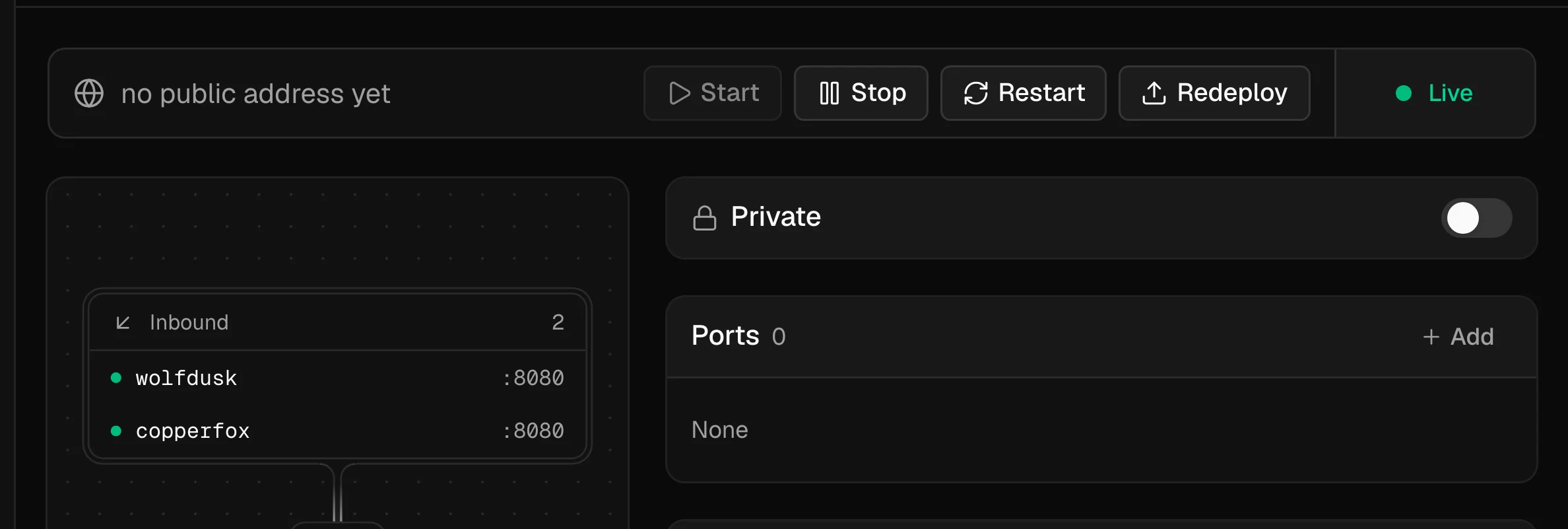
In the console, the app shows no public address yet and its Network tab shows Private, with no ports:
Why it happens
An app gets a public address only when LILY knows the port it listens on. LILY reads the port from your code. If it does not find one, the app is deployed without a port and stays private. The deploy still counts as successful.
Two cases where LILY does not find the port:
- A Rocket app that sets its port in
Rocket.toml. - A C or C++ app that sets its port in the code.
Fix it
Add the port, make the app public and redeploy.
- Open the app and select the Network tab.
- Under Ports, select Add and enter the port your app listens on.
- Turn on Public.
- Select Redeploy in the action bar.
lly network copperfox add-port 8080
lly network copperfox expose
lly redeploy copperfox
To avoid it on the next deploy of a new project, pass the port with the deploy:
lly deploy --port .=8080. is the root of the app in the repository. Use the path of the app if it is not in the repository root.
Check that it worked
curl https://copperfox.lilylabs.appIf it is still not working
Send a report through Feedback & Reports in the console sidebar. Include the full message, the project and app name, and the time it happened.