

The domain stays pending: Missing or Wrong value
A custom domain does not become active because LILY does not find its DNS records, or the certificate is not issued.
A custom domain becomes active once LILY finds both DNS records and has issued the certificate. This page covers a domain that stops before that.
What you see
On the Domains tab, a record shows Missing or Wrong value:
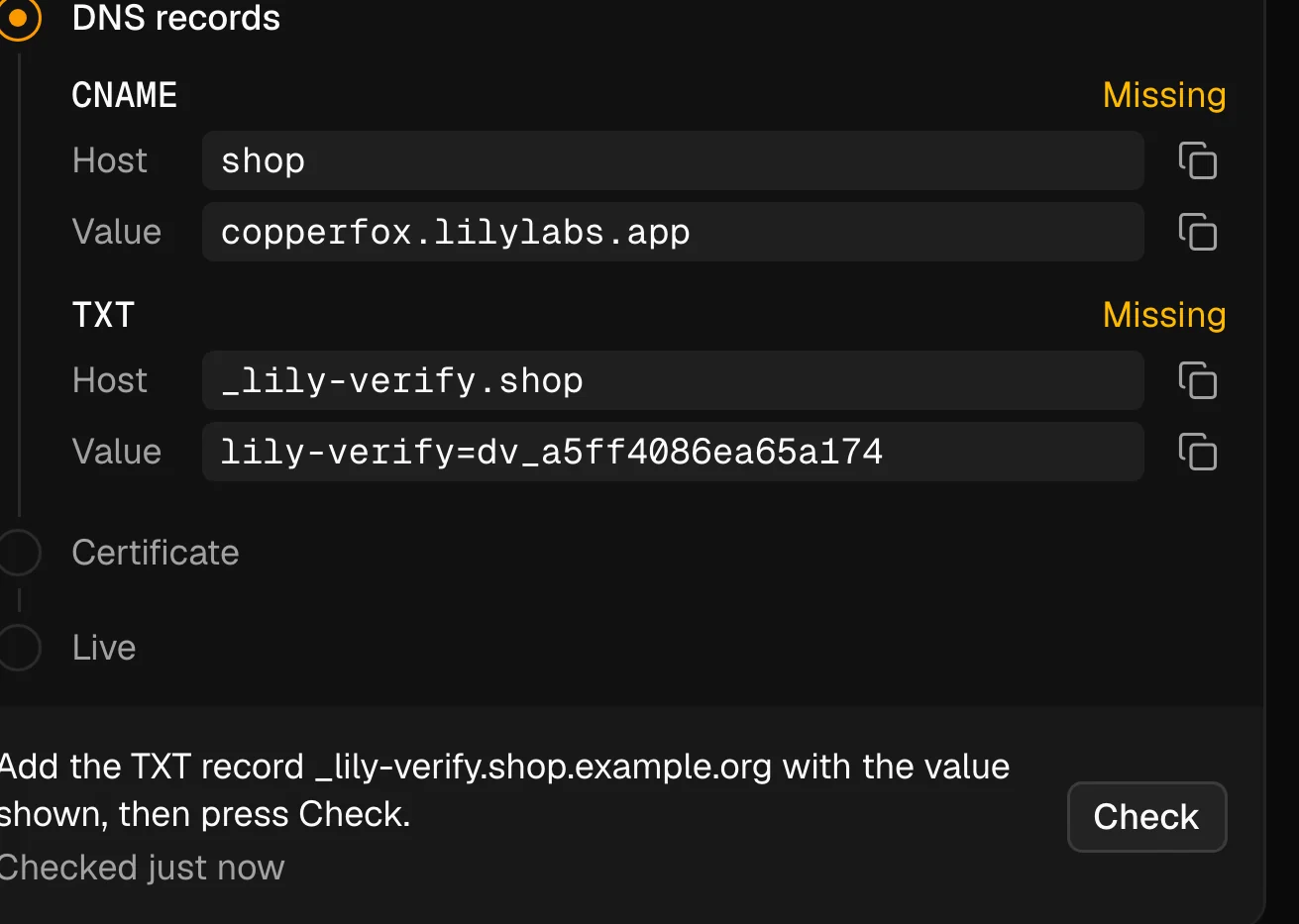
In the CLI:
DNS records not seen yet; run `lly domain check` laterLater in the setup:
The certificate could not be issued.Why it happens
| State | What it means |
|---|---|
| Missing | LILY does not find the record. It was not created, it was created under another name, or the DNS change is not visible yet. |
| Wrong value | LILY finds a record with that name, but with another value |
The certificate could not be issued | The records were found, but the certificate for the domain could not be created |
DNS changes can take a few minutes to become visible, with some providers longer.
Fix it
-
Print the records LILY expects.
Open the app, select the Domains tab and select the domain. The setup lists Host and Value of both records.
lly domain copperfox check shop.example.com -
Compare them with what your DNS provider shows, character by character. Common differences:
- The provider adds your domain to the host by itself. Enter only the part before your domain, for example
shopand_lily-verify.shop. - An older record with the same name still exists. Remove it.
- The domain is a bare domain such as
example.com. That only works if your provider supportsALIASrecords or CNAME flattening.
- The provider adds your domain to the host by itself. Enter only the part before your domain, for example
-
Select Check in the setup, or run the check again. LILY also checks pending domains every 30 seconds.
If the message is The certificate could not be issued, check that the CNAME record still points to the app and select Check again.
Two names are refused when you enter them: Wildcard domains are not supported. and An IP address is not a domain.
If it is still not working
Send a report through Feedback & Reports in the console sidebar. Include the full message, the project and app name, and the time it happened.